


Show you're art skills here


2nd chop.
coments?
credit to: exonn for the artwork. nice one mate
coments?
credit to: exonn for the artwork. nice one mate
- Attachments
-
- 2nd chop.jpg
- 2nd chop
- (81.06 KiB) Downloaded 399 times
-
- 1st chop original.jpg
- 2nd chop original
- (77.57 KiB) Downloaded 399 times


TheStig wrote:ever noticed how hard that is??
to get the color matched EXACTLY??? cause you have to get the color AND the shading right.... and that's the tricky one
OMG!!!I just figured that out today while working on my THIRD chop! Its So Freaking hard...I spent about an hour tring to get it descent ...well.. plaz..plz plz...comments..
btw.. i know i know...everyone is doing this chop now..so i thought id try..i love my car..clean and nice...and the neon also...presonally,i think mines the best....i know sic could do better, but the one he did before was pretty simple..

Btw..I want comments....I know its a little messed up..but hey..newbs rock man!
EDIT-I changed the lights a bit...and i love the neon...
plz comments plzp lzCOMMENTS PLZ!!


Last edited by korge on 17 Sep 2004, 11:58, edited 2 times in total.
korge
nice work there korge.
nice front bumper, graet color match. not of the best
quality tho. ( i mean the front that u put on,
not the color or work, there both great. )
i think it would look beter if u remove the black
line across the side of the car.
and try to put custom lights on ( look at my 1st and 2nd )
and how do u get the color match?
stig said something about shading.
nice front bumper, graet color match. not of the best
quality tho. ( i mean the front that u put on,
not the color or work, there both great. )
i think it would look beter if u remove the black
line across the side of the car.
and try to put custom lights on ( look at my 1st and 2nd )
and how do u get the color match?
stig said something about shading.
-
Texhnolith
- Turbo Charged

- Posts: 184
- Joined: 13 Aug 2004, 22:29
- Location: Eindhoven, The Netherlands


I'm not a pro on this but this is a way to the pro's correct my coloring way too:
1. Desaturate all layers.
2. Use brightness and contrast to the color became almost the same.
3. Fine tune the color with the Shadow Highlight tool.
4. Use Selective color to turn the gray into the color that you want your car changing the grays,blacks and whites.
5. Correct the connection between the body and the bodykit you added with smudge, blur and burn tools.
Tell your ways too for I can try too.
1. Desaturate all layers.
2. Use brightness and contrast to the color became almost the same.
3. Fine tune the color with the Shadow Highlight tool.
4. Use Selective color to turn the gray into the color that you want your car changing the grays,blacks and whites.
5. Correct the connection between the body and the bodykit you added with smudge, blur and burn tools.
Tell your ways too for I can try too.


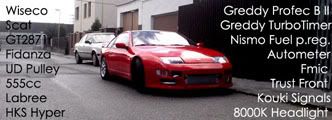

I made some screenshot editing again. (and the porsche is my own skin design and a standalone team).
- Attachments
-
- AudiR8_Champion_Racing (Large).jpg
- (56.33 KiB) Downloaded 149 times
-
- PORSCHE IN RAIN (Large).jpg
- (35.3 KiB) Downloaded 149 times


4th chop.
please coment.
please coment.
- Attachments
-
- 4th chop.jpg
- 4th chop
- (97.88 KiB) Downloaded 135 times
-
- 4th chop original.jpg
- 4th chop original
- (98.82 KiB) Downloaded 135 times
You would have too..Texhnolith wrote:Could probably do better now.
 btw..im working on a newer version..hopefully having more qaulities...or i may just leave it and make another chop...!WHOO!!Thnx for the comments guys..
 EDIT...sorry for the late post..everytime i see the page..it keeps screwing up with showing me different pages..weird...anyways that rx8 is nice but definitley work on the rims and body...the rims for one, look like crap...2 the body kits look to 2d and fake...and finally...fix your tires or something because looks like your car is floating..lol...
korge
-
MikeFarrar

- NFSUnlimited Staff

- Posts: 202
- Joined: 25 Apr 2004, 06:51
- Location: Australia
Here's my try at flyby's rx8.
- Attachments
-
- rx8.jpg
- Chemeleon paint =)
- (136.6 KiB) Downloaded 86 times